The Agent Loop
Part 6 / Agent OrchestrationThe core Pattern
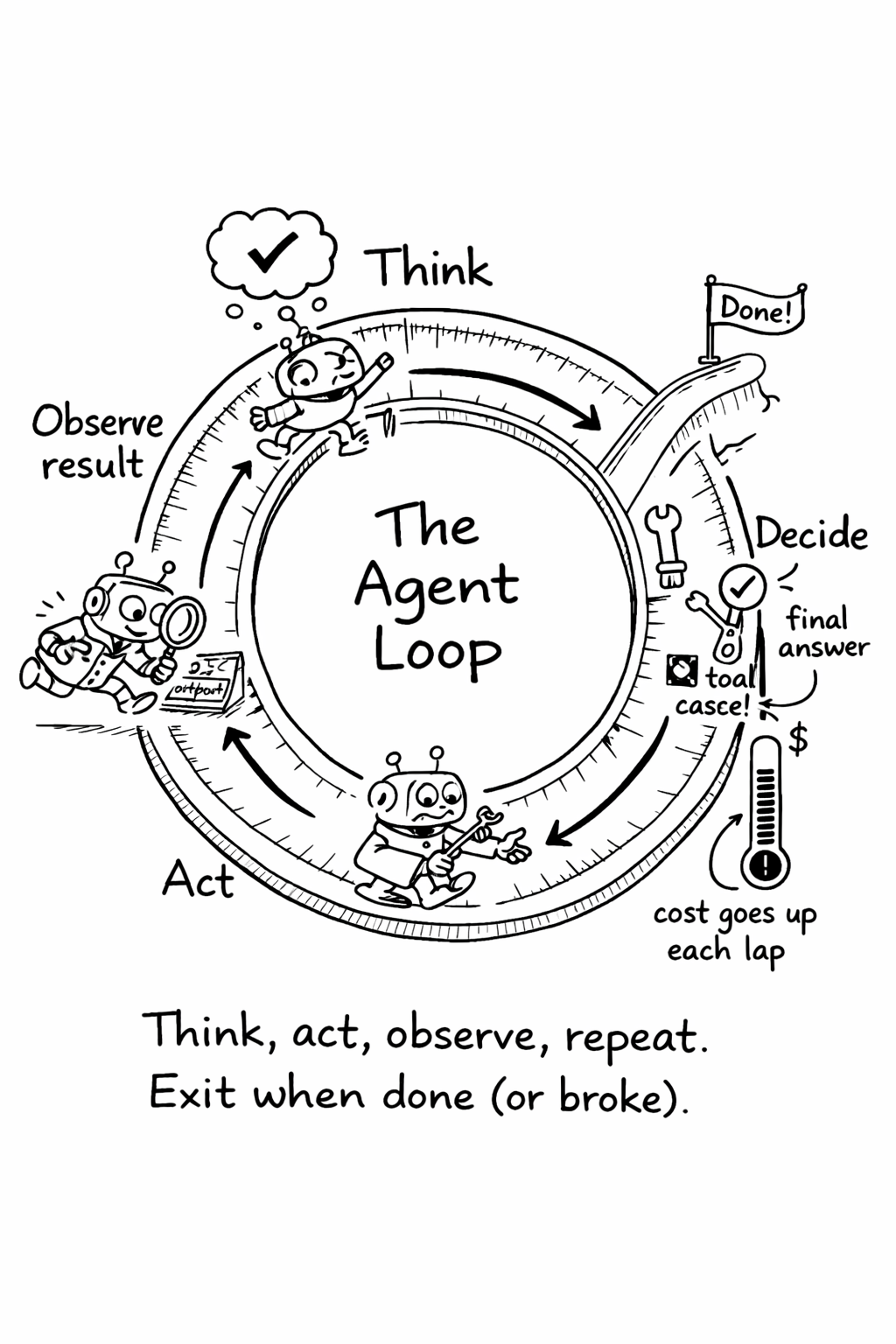
Every agent, regardless of framework, runs a variation of the same loop: observe the current state, decide what to do next, take an action, observe the result, and repeat. The model receives a prompt containing the task description, the conversation history, and the results of any previous actions. It produces a response that either contains a final answer or a request to use a tool. If it requests a tool, the system executes that tool, appends the result to the conversation, and sends everything back to the model. This continues until the model produces a final answer or hits a limit.
 .],
)
.],
)
The simplicity of this loop is deceptive. The engineering challenge isn’t the loop itself - it’s everything around it: how you manage the growing context, how you handle failures, how you decide when to stop, and how you keep costs under control as the conversation grows.
Loop variants
Different frameworks implement the loop with different philosophies. ReAct (Reason + Act) forces the model to explicitly state its reasoning before each action, which improves transparency but increases token usage. Plan-and-Execute separates planning from execution - the model creates a full plan upfront, then executes each step sequentially. This works well for predictable tasks but struggles when early steps reveal information that invalidates the plan.
Graph-based approaches like LangGraph model the agent as a state machine with conditional branching. This gives you fine-grained control over the flow but adds complexity. Role-based systems like CrewAI assign different personas to different agents, each with specialized instructions. Handoff-based systems like the OpenAI Agents SDK let agents delegate to specialists when they encounter tasks outside their expertise.
The choice between these patterns depends on your task complexity. For simple, linear tasks (fix this bug, write this test), a basic ReAct loop is sufficient. For multi-step workflows with branching logic (review this PR, then either approve, request changes, or escalate), a graph-based approach gives you more control. For tasks that span multiple domains (generate code, then review it for security, then write documentation), a multi-agent handoff system reduces the burden on any single prompt.
Planning vs. reactive agents
Agent loops fall into two broad categories: planning agents and reactive agents. Understanding the difference helps you choose the right approach for your use case.
Planning agents create a plan before taking action. They analyze the task, break it into steps, and execute the steps in order. The plan might be explicit (the agent outputs a numbered list of steps) or implicit (the agent’s chain-of-thought reasoning serves as a plan). Planning agents are better for complex, multi-step tasks because they consider the full scope of the work before starting. The downside is that plans can be wrong - the agent might plan to modify a file that doesn’t exist, or plan steps in the wrong order.
Reactive agents take one action at a time, observe the result, and decide what to do next. They don’t create a plan - they respond to the current state. Reactive agents are better for tasks where the next step depends on the result of the current step - debugging (you don’t know what to try next until you see the error), exploration (you don’t know what you’re looking for until you find it), and interactive tasks (the user provides feedback that changes the direction).
Most production agents are hybrids - they create a rough plan, execute the first step, observe the result, and adjust the plan based on what they learn. This combines the strategic thinking of planning agents with the adaptability of reactive agents. The key is to hold the plan loosely
- it’s a guide, not a contract. When the agent discovers that step 3 of its plan is impossible (the file it planned to modify doesn’t exist), it should re-plan rather than fail.
Error recovery
Agents fail. The question is how they recover. Three patterns dominate production systems.
Retry with backoff is the simplest: if an action fails, wait a moment and try again. This handles transient errors - API rate limits, network timeouts, temporary service outages. The key is exponential backoff with jitter to avoid thundering herds when multiple agents retry simultaneously.
Fallback chains try alternative approaches when the primary approach fails. If the preferred model returns an error, try a different model. If a tool call fails, try a different tool that achieves the same goal. The chain should be ordered by preference - best option first, cheapest fallback last.
Circuit breakers prevent agents from repeatedly hitting a failing service. After a threshold of failures (typically three in a row), the circuit opens and all subsequent requests fail immediately without attempting the call. After a cooldown period, the circuit half-opens and allows a single test request. If it succeeds, the circuit closes and normal operation resumes. This pattern is borrowed directly from distributed systems engineering, and it’s just as valuable for agents.
The context window management problem
As an agent session progresses, the context window fills up. Each tool call adds the tool’s response to the conversation history. Each LLM call adds the model’s reasoning and output. After 20 turns, the context might contain 100K+ tokens of accumulated history, much of which is no longer relevant to the current step.
Context window management is the art of keeping the context window lean without losing important information. Three strategies are commonly used.
Sliding window keeps only the most recent N turns of conversation history. This is simple but lossy - important context from early in the session is discarded. It works well for tasks where recent context is more important than historical context.
Summarization periodically summarizes the conversation history into a compact representation. Every 10 turns, the system generates a summary of the previous 10 turns and replaces them with the summary. This preserves the key information while reducing token count. The trade-off is that summarization is non-deterministic (the summary may miss important details) and adds latency (the summarization call takes time).
Selective retention keeps specific types of context (tool results, decisions, errors) and discards others (reasoning chains, intermediate outputs). This is the most targeted approach but requires understanding which context types are important for your specific use case.
The best approach depends on your task type. For short tasks (under 10 turns), no management is needed - the context window is large enough. For medium tasks (10-30 turns), sliding window or summarization works well. For long tasks (30+ turns), selective retention is necessary to keep the context window manageable.
Termination conditions
One of the most underappreciated aspects of agent loop design is knowing when to stop. An agent without clear termination conditions will run until it hits a cost limit or a timeout - neither of which is a good outcome. Termination conditions should be explicit and multi-layered.
The primary termination condition is task completion - the agent has produced a final answer or completed the requested action. This sounds obvious, but defining “complete” is harder than it seems. For a bug fix, completion means the fix is implemented and tests pass. For a code review, completion means all files have been reviewed and feedback has been provided. For an open-ended exploration task, completion is ambiguous - and ambiguous termination conditions lead to runaway agents.
Secondary termination conditions act as safety nets. Cost limits terminate the agent when spending exceeds a threshold. Iteration limits terminate after a maximum number of loop iterations (typically 50-100). Time limits terminate after a maximum wall-clock duration. Stall detection terminates when the agent makes the same tool call three times without progress. Each of these prevents a different failure mode - cost limits prevent runaway spending, iteration limits prevent infinite loops, time limits prevent forgotten sessions, and stall detection prevents confused agents from burning tokens without making progress.
Human-in-the-Loop gates
Not every decision should be automated. The most effective agent deployments include explicit gates where the agent pauses and asks for human approval before proceeding. These gates should be placed at points of high consequence: before modifying production data, before making irreversible changes, before spending above a cost threshold, and before taking actions that affect other teams.
The design of these gates matters. A gate that interrupts the engineer every five minutes is worse than no agent at all. A gate that only fires for genuinely consequential decisions - a database migration, a public API change, a cost spike - adds safety without destroying flow. The best gates are invisible when things are going well and loud when they’re not.
Gates should also be configurable per task type. A routine test generation task might have no gates - the agent runs, produces tests, and the engineer reviews the PR. A database migration task might have gates at every step - the agent proposes the migration, waits for approval, runs it in staging, waits for approval, and only then proposes the production migration. The gate configuration should be part of the task specification, not hardcoded in the agent framework.
Related Concepts: Agent Security (Chapter 7), Observability (Chapter 14) Related Workflows: Your First Agent in Production (Chapter 23)